As promised some time ago, here is the first post about Windows 7 (and Vista).
Users of XP and earlier versions of Windows who now use Vista or 7 will have noticed that the Explorer menus are no longer shown.
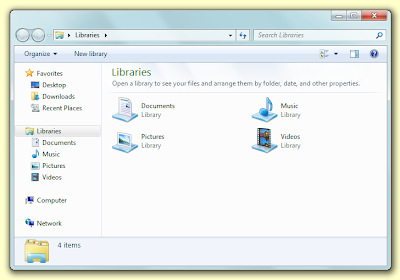
Thankfully there is an easy way to remedy this either temporarily or permenantly. To see the menu bar simply press the Alt key.
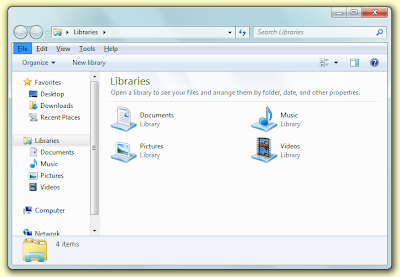
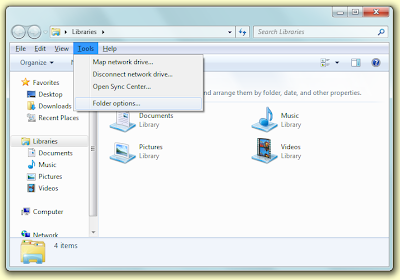
If you wish to always have the menus visible, select 'Folder options...' from the 'Tools' menu.
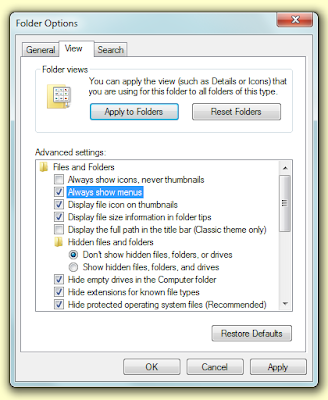
On the 'Folder Options' window, go to the 'View' tab and tick 'Always show menus' and then click the 'OK' button.
Users of XP and earlier versions of Windows who now use Vista or 7 will have noticed that the Explorer menus are no longer shown.

Thankfully there is an easy way to remedy this either temporarily or permenantly. To see the menu bar simply press the Alt key.

If you wish to always have the menus visible, select 'Folder options...' from the 'Tools' menu.

On the 'Folder Options' window, go to the 'View' tab and tick 'Always show menus' and then click the 'OK' button.


